
Tips for Creating a Cozy and Productive Home Office Environment
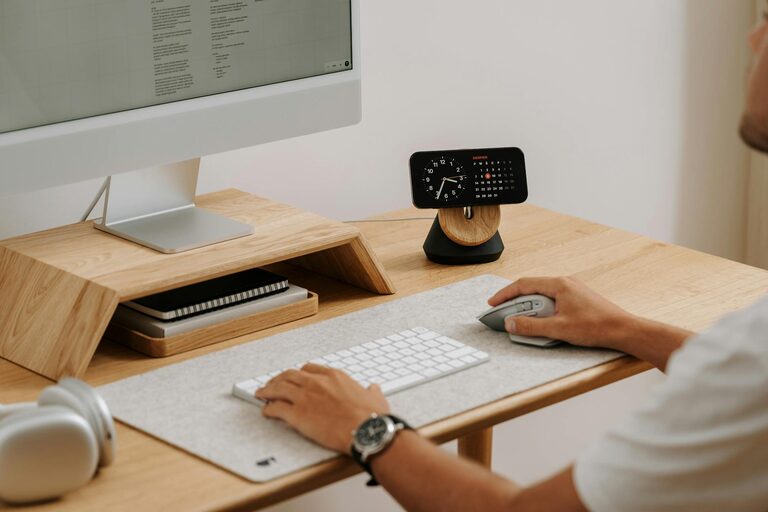
Creating a cozy and productive home office environment can significantly enhance your work-from-home experience. Whether you’re freelancing, running a small business, or working remotely for a company, your workspace affects how you feel and how efficiently you work. This guide offers practical tips to help you design an inviting and effective home office tailored to your needs.
Choose the Right Location
Selecting the right spot for your office is the first step. Ideally, find a quiet area with minimal foot traffic to reduce distractions. If possible, choose a room with natural light, which boosts mood and focus. Avoid spaces that are too close to noisy appliances or busy household areas.
Invest in Ergonomic Furniture
Comfort is key when you spend hours at your desk. A good office chair with adjustable height and proper lumbar support prevents back pain. Pair it with a desk at the right height for your body to maintain good posture. Consider ergonomic accessories like keyboard trays or monitor stands to keep everything within comfortable reach.
Optimize Lighting
Proper lighting reduces eye strain and helps you stay alert. Use a mix of natural light and artificial sources. Place your desk near a window if possible, but avoid glare on your screen. A desk lamp with adjustable brightness is perfect for evenings or cloudy days.
Personalize Your Space
Adding personal touches makes your office more inviting. Display artwork, plants, or meaningful items that inspire you. Keep décor minimalist but cozy — think soft rugs, cushions, or warm colors. Plants not only brighten up the space but also improve air quality.
Organize for Efficiency
Clutter disrupts focus, so organization is essential. Use shelves, drawers, and filing systems to keep documents and supplies tidy. Label storage boxes to find items easily. Keep only essentials on your desk to maintain a clean surface for work.
Tips for Staying Organized
– Schedule regular tidying sessions.
– Digitize documents to reduce paper clutter.
– Use cable management solutions for electronic cords.
– Keep a notebook or digital app for tracking tasks.
Control Noise Levels
Noise can be distracting, so find ways to minimize it. Use noise-cancelling headphones or play soft background music if it helps your concentration. Consider adding thick curtains or carpets to absorb sound in echo-prone rooms.
Maintain a Comfortable Temperature
A room that’s too hot or too cold can interrupt your focus. Adjust your thermostat or use fans and heaters as needed. Having a small fan or space heater in your office allows you to control your immediate environment without affecting the whole house.
Establish Boundaries
Creating clear boundaries between work and personal life helps you maintain productivity and prevents burnout. Set specific work hours and communicate them with family or roommates. Keep work materials contained within your office space to make it easier to switch off after work.
Incorporate Movement
Sitting for long periods can be harmful. Consider a sit-stand desk or take short breaks to stretch and move around. Even a few minutes of walking or light exercises help improve circulation and mental focus.
Use Technology Wisely
Ensure your technology supports your workflow. Invest in a reliable internet connection, noise-reducing headsets, and efficient devices. Keep software updated and organize your digital files as carefully as your physical workspace.
Maintain Good Air Quality
Good ventilation keeps you alert and comfortable. Open windows regularly or use air purifiers to bring fresh air into your office. Avoid heavy scents which might cause headaches or distractions.
Conclusion
By thoughtfully arranging your home office with these tips, you can create a space that feels welcoming and helps you stay productive. Remember, your office should work for you — mix comfort with functionality to enjoy a better workday at home. With the right setup, you’ll find it easier to focus, reduce stress, and maintain a healthy work-life balance.